The subgraph feature requires ComfyUI frontend version 1.24.3 or later. If you don’t see this feature, please refer to: How to Update ComfyUI
- Images in this document are made with nightly version frontend, please refer to the actual interface
- Some features like converting subgraph back to nodes will be supported in the future
A subgraph is a powerful ComfyUI feature that lets you package complex workflows into a single reusable subgraph node, making them easier to manage and share.
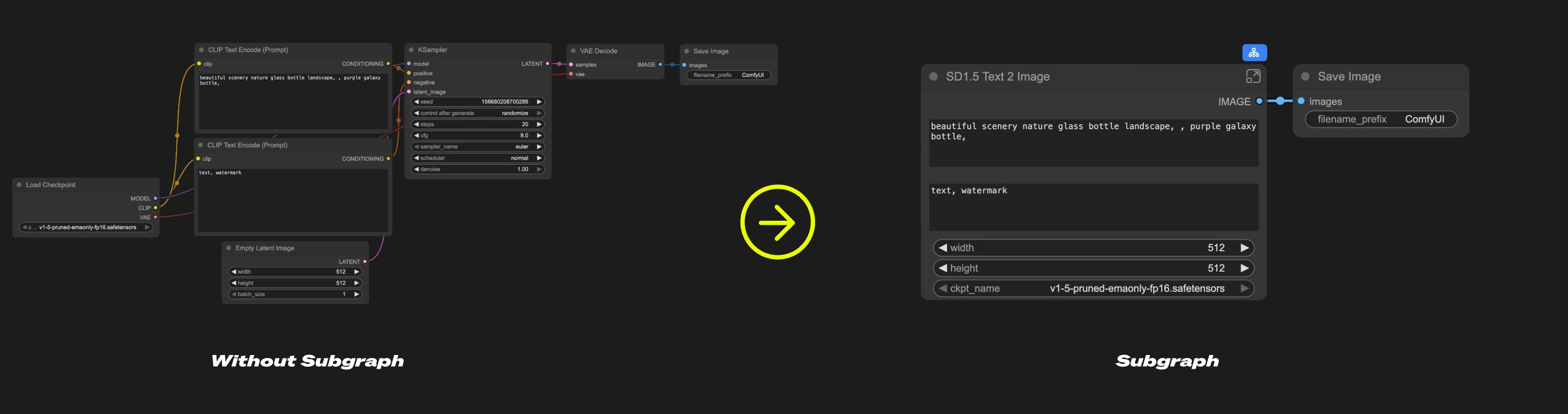
- Simplify complex workflows
- Reuse common node combinations
- Build more efficient workflows with modular components
Creating a Subgraph
1
Select nodes
Select the nodes you want to group in ComfyUI
2
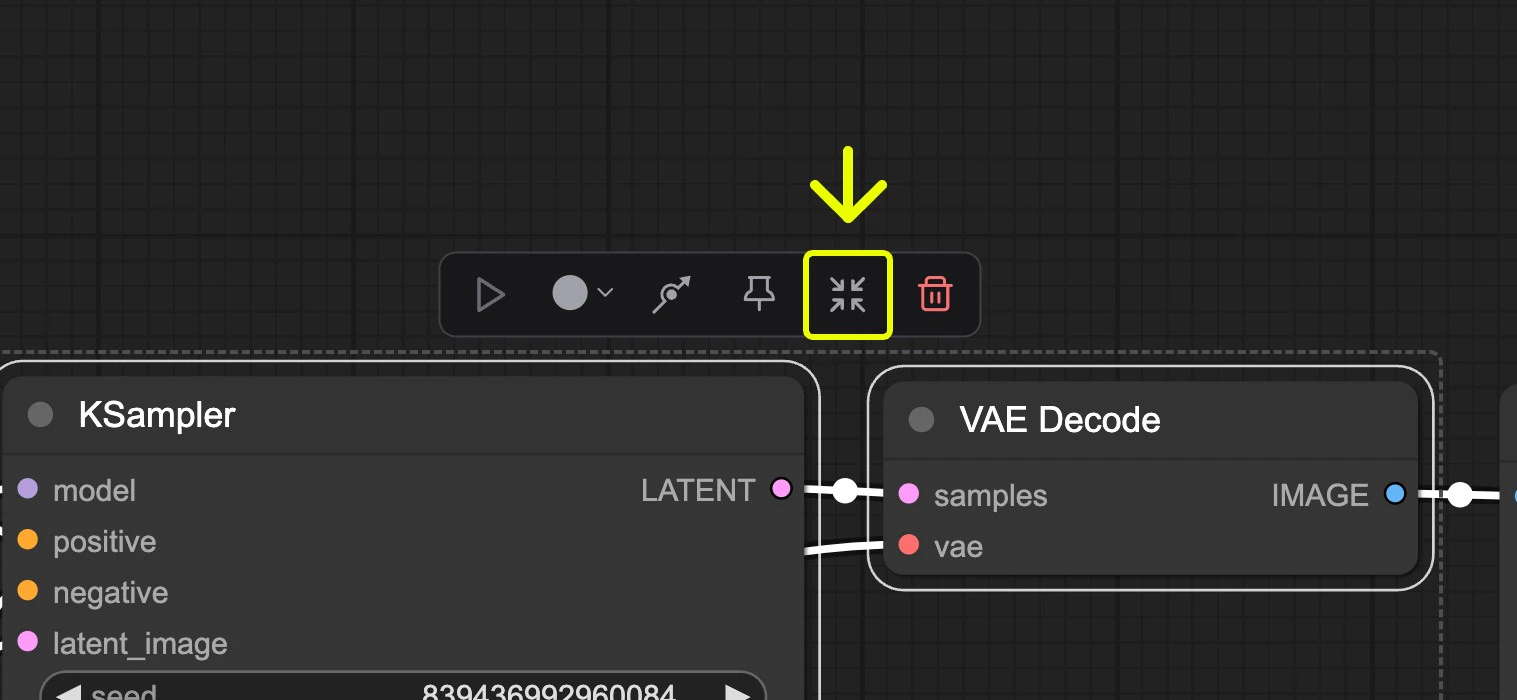
Click the subgraph icon
3
Subgraph created
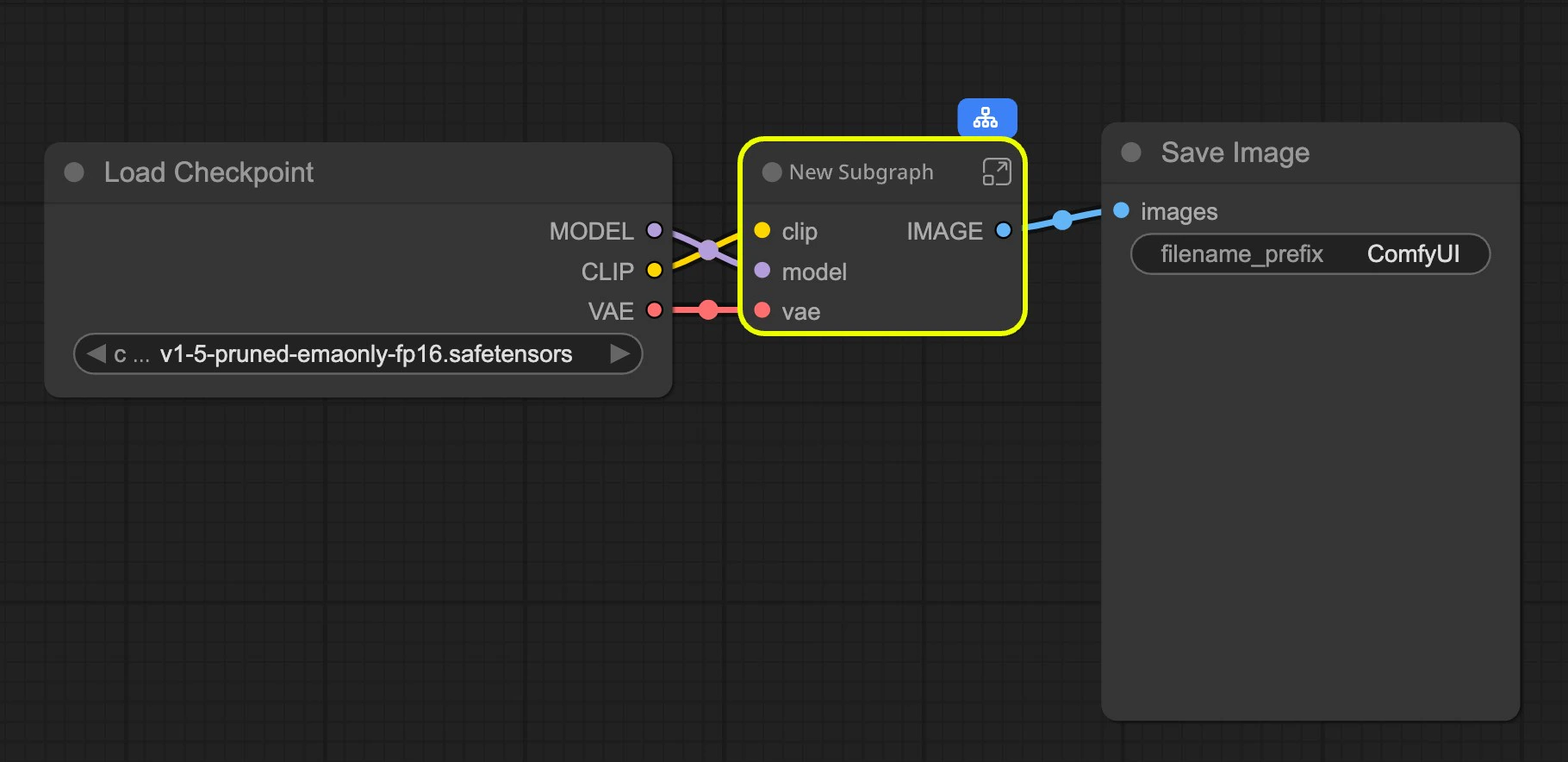
4
Customize your subgraph
Refer to Editing Subgraphs, you can edit and organize the subgraph to create a fully functional node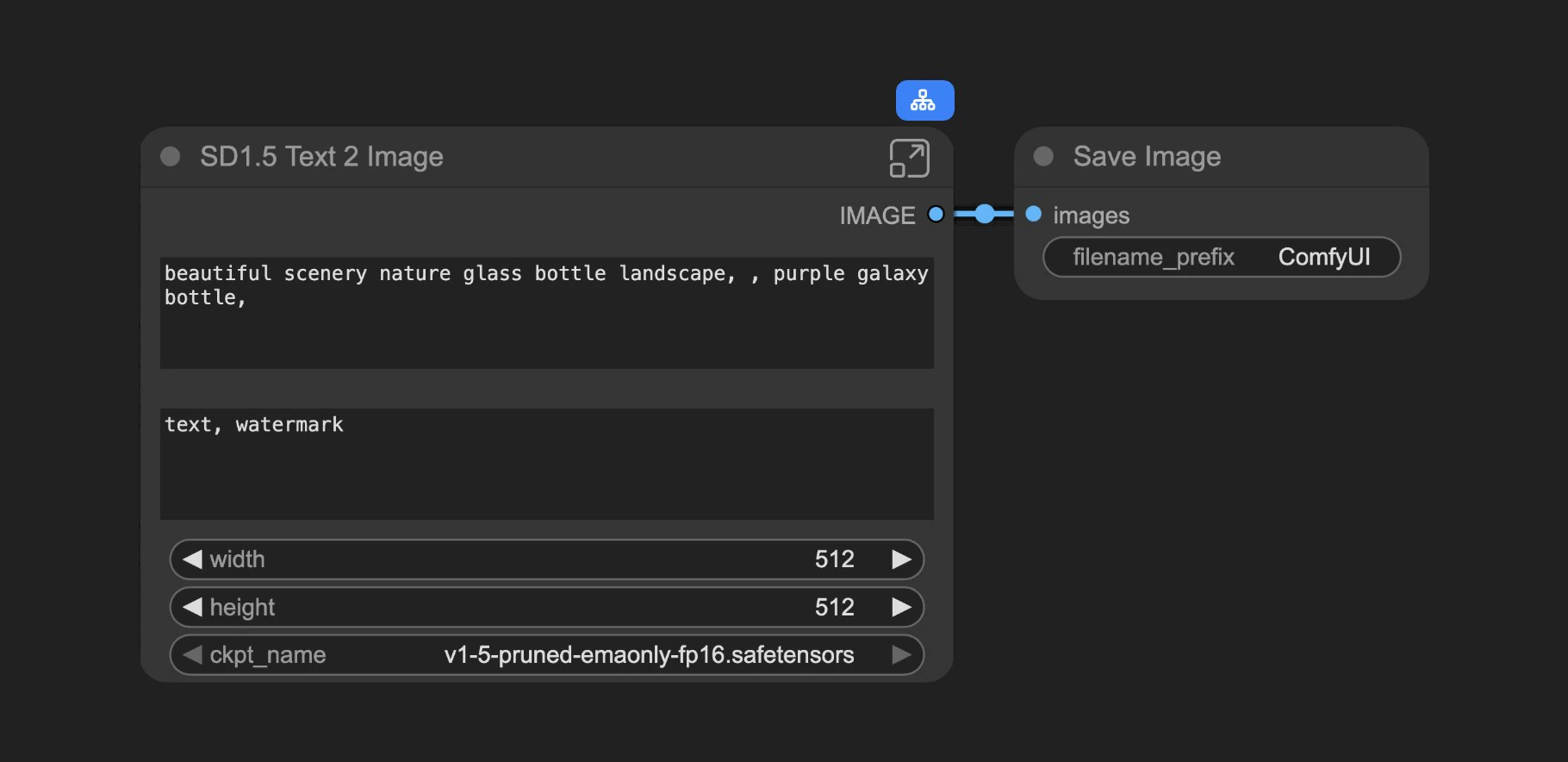
Working with Subgraphs
Basic Operations
Subgraphs work just like regular nodes. You can:- Change colors and names
- Use bypass to disable
- Apply all standard node operations
Editing Subgraphs
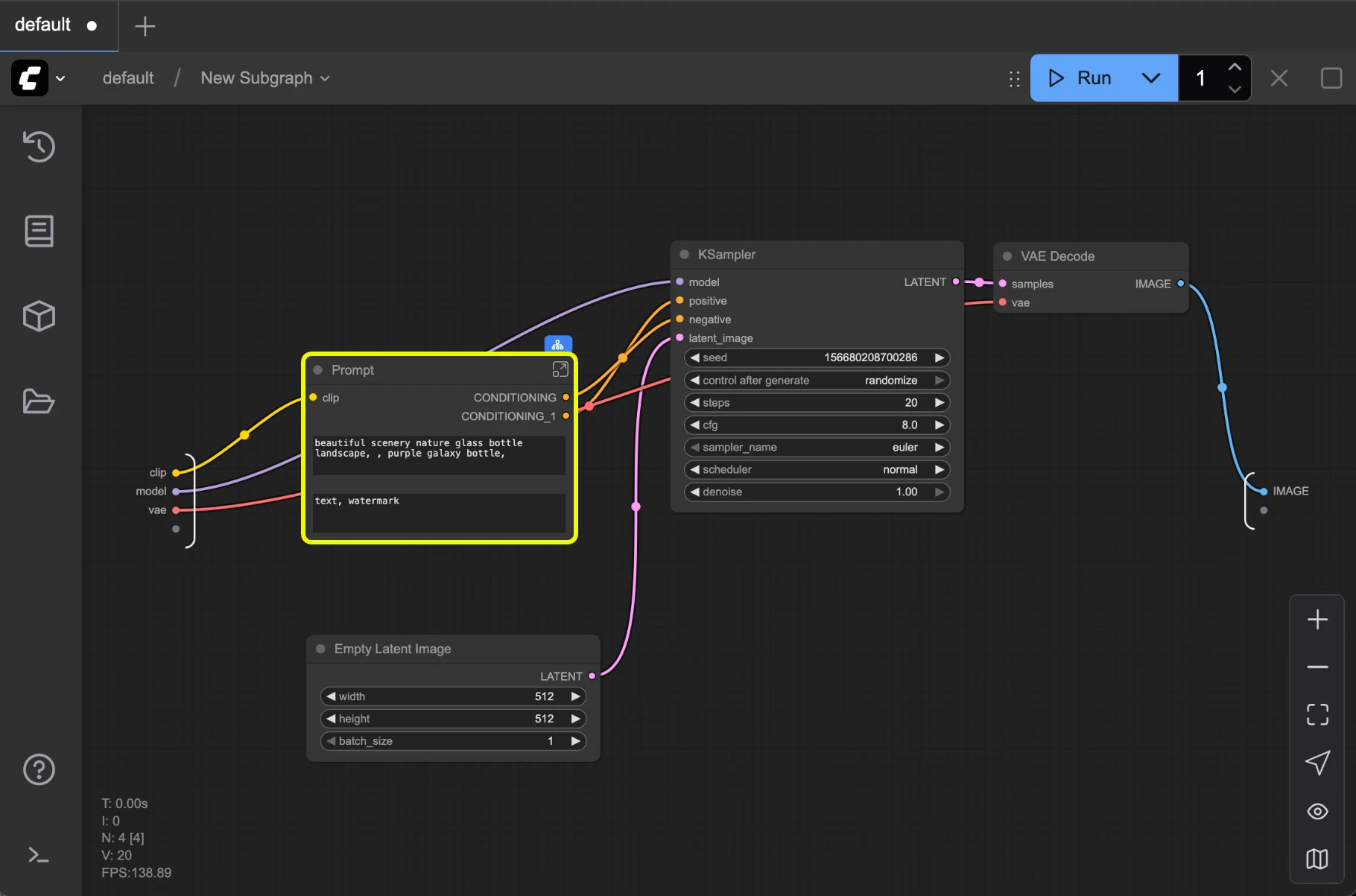
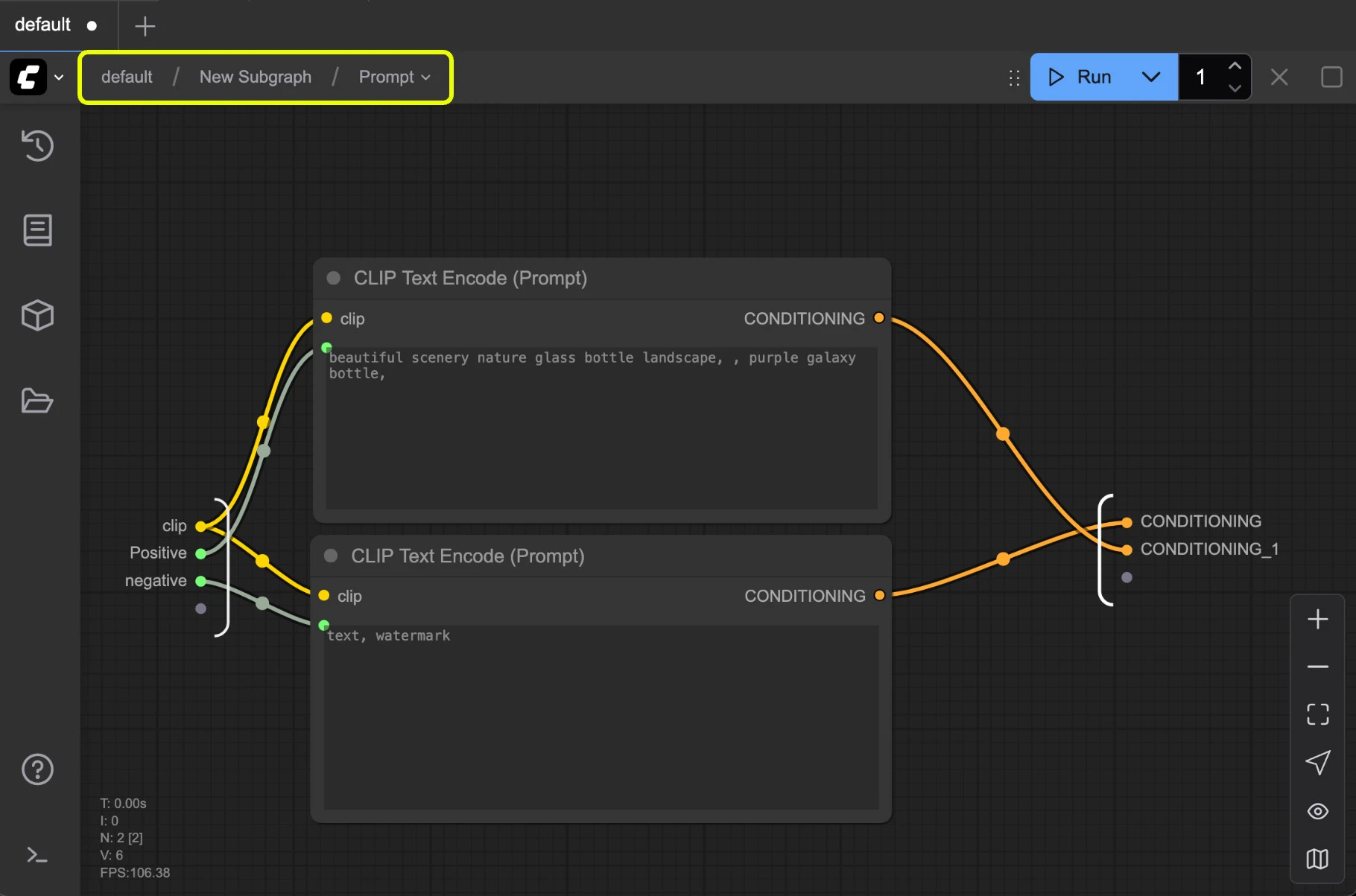
To enter edit mode:- Double-click the empty area inside the subgraph (not on widgets), or
- Click the subgraph edit button
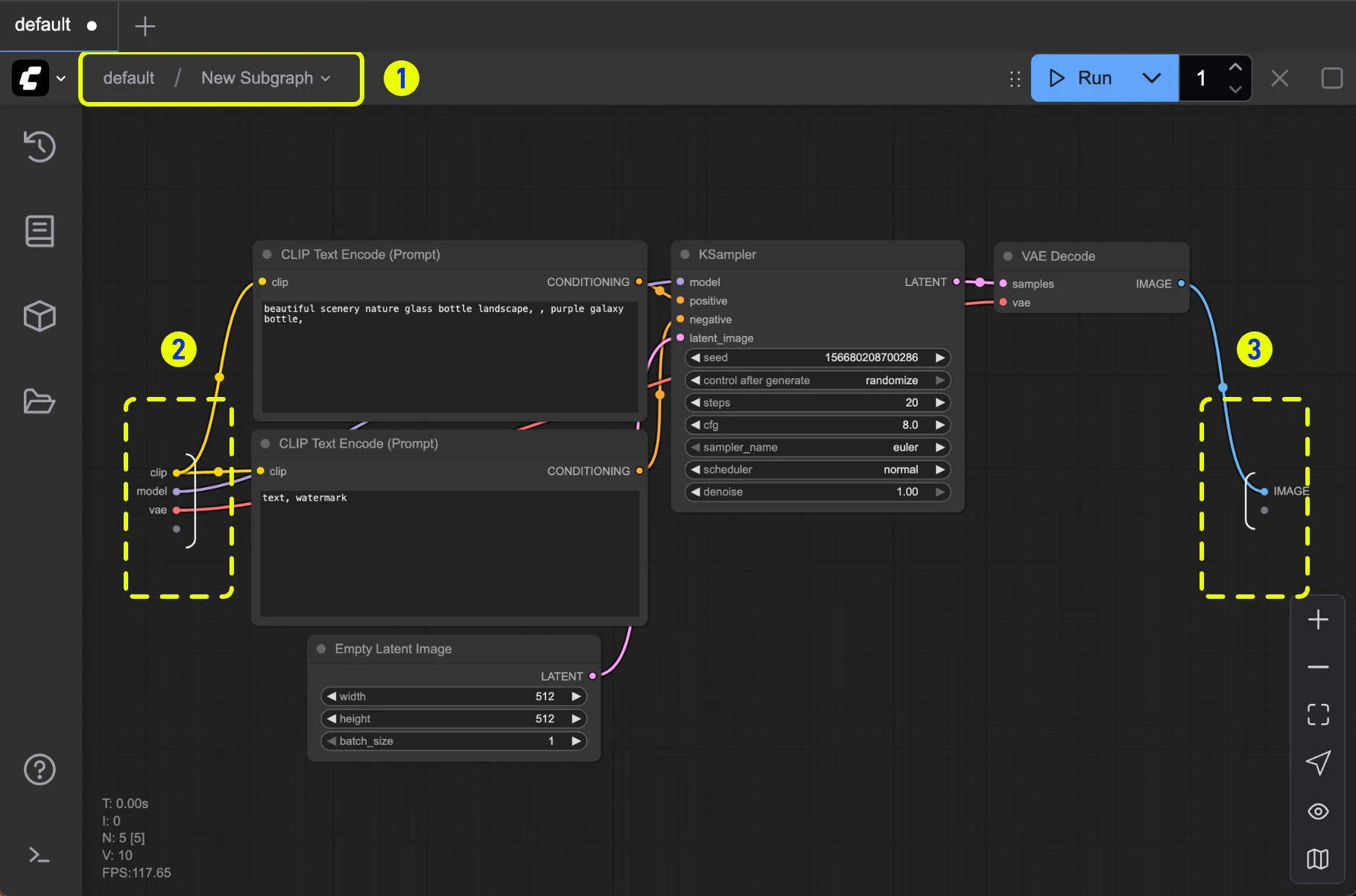
- Navigation bar: Exit the current subgraph and return to the parent level
- Input slots: Internal node inputs exposed to the outside
- Connect outputs to slots like normal nodes
- Right-click connection points to rename/delete exposed slots
- Output slots: Outputs exposed to the outside (same functionality as input slots)
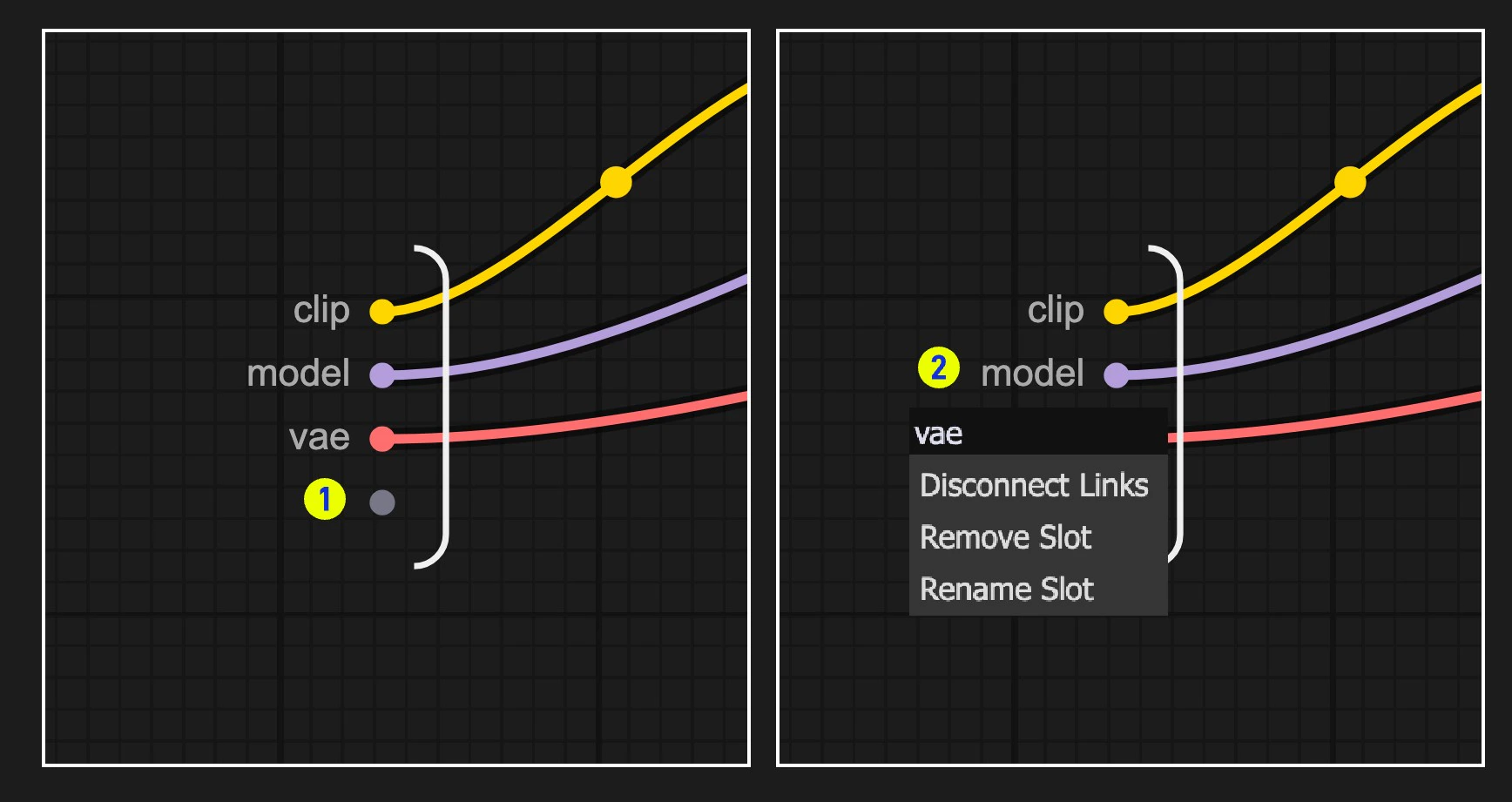
- Default slot (labeled 1): Use this to add new input/output connections
- Right-click existing slots to rename, delete, or disconnect from original nodes
Note: Slot connections follow standard data type validation rules
Nested Subgraphs
Create even more complex workflows by nesting subgraphs within subgraphs.